MindMap Tab
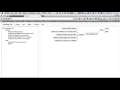
About MindMap Tab
This extension provides you with drawing MindMap in Chrome. Each MindMap is stored to your local storage automatically, and you can open the old MindMap diagram quickly.
The "Calendar View" feature has been released from the version 3. If your mindmap has some "YYYY/MM/DD" or "YYYY/MM" format items, they are rendered as an event on the Calendar View dialog.
Since the version 2, you can store MindMaps into the Firebase Database. If you are interested in this feature, click the menu "Login" on the header menu (first, you need to create your new account).
History:
Oct 22, 2019: Release 3.3.0. Show the last opened MindMap at startup.
Apr 24, 2019: Release 3.2.0. Added a new feature to show how to use guide.
Apr 8, 2019: Release 3.1.0. Added a new feature to change Mindmap diagram layout.
Feb 4, 2019: Release 3.0.2. Fix style bugs.
Dec 19, 2018: Released 3.0.1. Added a new feature "Calendar View".
Nov 29, 2018: Released 2.17.1. Added status bar and buttons to change layout, and restructured menus.
Sep 3, 2018: Released 2.16.0. Revert the 2.15.0.
Sep 3, 2018: Released 2.15.0. Cache static files by the ServiceWorker.
May 12, 2018: Released 2.14.0. Open a link by a new window when a shift key clicked.
May 11, 2018: Released 2.13.0. Reorganize the menu, and add a new feature to show/hide strike through texts.
Apr 5, 2018: Released 2.12.0. Support indents with 4 white spaces.
Apr 3, 2018: Released 2.11.3. Support as PWA.
Mar 31, 2018: Released 2.11.2. Update the Bootstrap version to 4.0.0.
Mar 28, 2018: Released 2.11.1. Fix two bugs about Copy and Export features.
Mar 16, 2018: Released 2.11.0. Add two menus to format a selected text.
Dec 27, 2017: Released 2.10.1. Fix the MindMap vertical position problem.
Dec 27, 2017: Released 2.10.0. Add a new feature to change a font size of the MindMap.
Dec 25, 2017: Released 2.9.0. Can turn on/off a line color.
Dec 23, 2017: Released 2.8.0. Add bold/strikethrough text styles.
Dec 23, 2017: Released 2.7.1. Fix a bug about the history dropdown list.
Dec 3, 2017: Released 2.7.0. Abolish override a new tab. Instead, provide a browser action.
Nov 28, 2017: Released 2.6.2. Fix some bugs about calculating a node length.
Feb 23, 2017: Released 2.6.1. Adjust save timing.
Feb 20, 2017: Released 2.6.0. Support to move the Canvas with DnD.
Feb 17, 2017: Released 2.5.0. Support to copy as HTML text.
Feb 12, 2017: Released 2.4.1. Fix a problem about sync.
Feb 8, 2017: Released 2.4.0. Support a layout change.
Feb 7, 2017: Released 2.3.0. Use Ace Editor.
Feb 6, 2017: Released 2.2.0. When clicking each node, jump to the target position in the textarea.
Feb 5, 2017: Released 2.1.0. Support exporting MindMap diagram as a PNG/JPEG image.
Feb 4, 2017: Released 2.0.0. Support Firebase Database.
Why Download MindMap Tab?
- ✅ Trusted by 10000+ users worldwide
- ✅ High Rating: 4.07/5 stars from 58 reviews
- ✅ Latest Version: 3.3.2 - Always up to date
- ✅ Safe & Secure: Verified by Chrome Web Store
- ✅ Free to Use: No cost required
Extension Details
Discover MindMap Tab - The Best Chrome Extension for Your Browser
Looking for the perfect Chrome extension to enhance your browsing experience? MindMap Tab is one of the most popular and highly-rated extensions available on the Chrome Web Store, trusted by over 10000 users worldwide.
With an impressive 4.07-star rating based on 58 authentic user reviews, MindMap Tab has proven its value and reliability to the Chrome community. This extension is perfect for users who want to improve their productivity, enhance their browsing security, or simply add useful functionality to their Chrome browser.
Download MindMap Tab today and join thousands of satisfied users who have already discovered the benefits of this powerful Chrome extension. Installation is quick and easy - simply click the download button above to be redirected to the official Chrome Web Store where you can safely install this extension in just a few clicks.
Similar extensions