
Youtube Live Chat : Troll Starver
About Youtube Live Chat : Troll Starver
((VIDEO DEMO - https://www.youtube.com/watch?v=cCrwyIKI_Jo Don't know why google can't show it in the middle of the screen right now, but whatever...))
Trolls. We could do without them, am i right?
Ignore the replies of anyone you choose with this extension in Youtube Live Chatrooms.
HOW TO :
FILTER TROLL
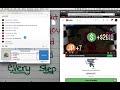
Drag and drop the icon about onto the troll icon. A new entry will show up in the TROLLS table. Their comments won't show up in your chat anymore.
UNFILTER TROLL
Click the (x) button in the table next to their name,
EXPORT NAMES IN BULK
Click the 'export names' button below the table and all the names you have accrued so far are in the text box. It is just a single username per line. Copy and Paste. Easy.
IMPORT NAMES IN BULK
Click the 'import names' button below the table and Either
1) Paste an exported list of names and click import button.
2) Type one troll's username verbatim per line and then click the import button.
PS
(As long as you are in a normal Youtube live chatroom, not the special "Night Mode in Youtube Gaming" which accesses a chatroom through an iframe, then this will work. )
CODE
https://github.com/Joe11000/Troll-Starver-for-Youtube-Live-Chat
RELEASE NOTES
RELEASE 1.5 ********** 9/9/16
* Add import and export functionality for troll names. Just encase each name in single quotes for import. ie 'Name 1' 'Name 2' 'Name 3'
* made the "clear chat" button a little prettier.
RELEASE 1.6 ********** 9/12/16
* There was an import and export bug involving regex with quotes. I removed the extra complexity and no encasing quotes or escaping single quotes are needed anymore. For importing, simply put one username per line without unnecessary spaces at the end of a line.
RELEASE 1.7 ********** 12/6/16
* Added the ability to expand and collapse the Troll Blocker table. If the table is collapsed and the user drags a troll's icon, as they normally would, the table will automatically open until. If the user drops the icon in the correct location, then the table will return to the collapsed state. If the user drops the icon in the wrong location, then the table will remain open.
RELEASE 1.8.3 ********** 1/26/18
* restyled the css with css grid styling and fixed things that youtube broke with their updates to their chatroom.
Temporary Release to fix larger problems.
Known Bugs:
1) Beyond +1000 troll names the names overflow in the first column. That is a CSS problem that chrome has to resolve resolve soon on it's own.
2) After clicking "Clear Chat" the following messages appear shakey or just appear only one at a time or just weird in general. That is because Chrome is using javascript behind the scenes to determine where the bottom of the chatroom is and to try and position itself to be at the bottom of it. Chrome Extensions con not access native javascript on a web page by their very nature. So until they Youtube stops doing weird calculations behind the scenes, there is not much I can do at the moment.
3) Do not use extra spacing or unnecessary blank lines when importing troll channel names otherwise those lines or the previous lines will understand it as the wrong username and won't block it correctly.
RELEASE 1.84 ********** 2/1/18
* removed outline from Clear Chat Button
* capitalized first letter of all words
* Remove <strong> from "Name" header on import
* Filter out paid comments of trolls
* On load, decrease the amount of bulk imported from 50 -> 25 and increase the amount of time to lapse so that the video doesn't decrease in quality and decreases the lagging on the chatbox.
Why Download Youtube Live Chat : Troll Starver?
- ✅ Trusted by 773+ users worldwide
- ✅ High Rating: 4.5/5 stars from 28 reviews
- ✅ Latest Version: 1.85 - Always up to date
- ✅ Safe & Secure: Verified by Chrome Web Store
- ✅ Free to Use: No cost required
Extension Details
Discover Youtube Live Chat : Troll Starver - The Best Chrome Extension for Your Browser
Looking for the perfect Chrome extension to enhance your browsing experience? Youtube Live Chat : Troll Starver is one of the most popular and highly-rated extensions available on the Chrome Web Store, trusted by over 773 users worldwide.
With an impressive 4.5-star rating based on 28 authentic user reviews, Youtube Live Chat : Troll Starver has proven its value and reliability to the Chrome community. This extension is perfect for users who want to improve their productivity, enhance their browsing security, or simply add useful functionality to their Chrome browser.
Download Youtube Live Chat : Troll Starver today and join thousands of satisfied users who have already discovered the benefits of this powerful Chrome extension. Installation is quick and easy - simply click the download button above to be redirected to the official Chrome Web Store where you can safely install this extension in just a few clicks.
Similar extensions





