Web Campus Customizer
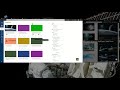
About Web Campus Customizer
Current Features:
- Only works with UNR Canvas at the time
- Edit each class card, can add any online picture or CSS styling including things like background images and fancy borders...
- Toggle switch to enable or disable customization (Hit F5 or refresh page to take effect)
- Enable or disable the name for each individual card
Usage:
- To edit cards go to main Canvas page and click the extension's icon on the upper right corner
- Select "Picture URL" for mode
- Add any picture URL
- Select picture mode. This changes how picture fit into card
- Click save to save
- Refresh page or press F5
- To enable/disable effects of extension use Master toggle switch located in popup menu
- "Reset back" button will revert text boxes to last saved state, if any changes are saved then they can not be reverted
###### ADVANCE CSS Styling ######
Tutorial: https://youtu.be/1UrMNg-ikZk
Usage:
- To edit cards go to main Canvas page and click the extension's icon on the upper right corner
- Select "Custom CSS" for mode
- Add any CSS styling to any of the cards as desired, then click save to save
- Refresh page or press F5 to refresh page
Template (Good starting point):
background-size: cover; background-image: url("");
Just place the URL of the image you want inside the quotes and then paste the whole thing in the box for that class.
Download at https://gitlab.com/ignaciochg/web-campus-css-templates/raw/master/css-templates.txt
For a guide in CSS styling go to: https://www.w3schools.com/css/css_background.asp
If you are having problem with images fitting:
- use this https://www.w3schools.com/cssref/css3_pr_background-size.asp
- use background-size: 100% 100%;
- change the percentages as necessary
- make sure that the image has the correct aspect ratio or it will look bad
####################################
Why Download Web Campus Customizer?
- ✅ Trusted by 6+ users worldwide
- ✅ High Rating: /5 stars from reviews
- ✅ Latest Version: 0.3.0 - Always up to date
- ✅ Safe & Secure: Verified by Chrome Web Store
- ✅ Free to Use: No cost required
Extension Details
Discover Web Campus Customizer - The Best Chrome Extension for Your Browser
Looking for the perfect Chrome extension to enhance your browsing experience? Web Campus Customizer is one of the most popular and highly-rated extensions available on the Chrome Web Store, trusted by over 6 users worldwide.
With an impressive -star rating based on authentic user reviews, Web Campus Customizer has proven its value and reliability to the Chrome community. This extension is perfect for users who want to improve their productivity, enhance their browsing security, or simply add useful functionality to their Chrome browser.
Download Web Campus Customizer today and join thousands of satisfied users who have already discovered the benefits of this powerful Chrome extension. Installation is quick and easy - simply click the download button above to be redirected to the official Chrome Web Store where you can safely install this extension in just a few clicks.
Similar extensions