New Tab Reloaded
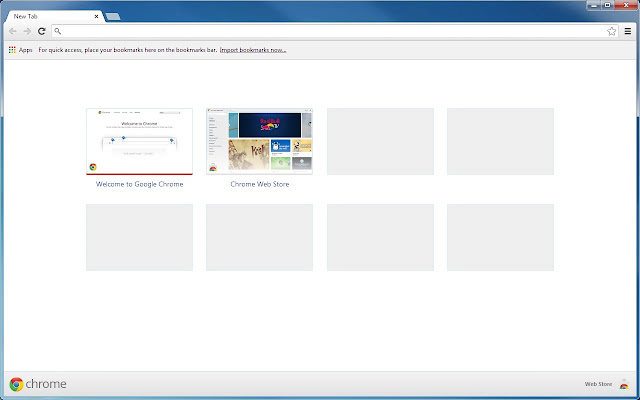
About New Tab Reloaded
Please read the troubleshooting section below if this extension does not load.
New features:
- Fix blank most visited page in Chrome 60.
- Add an option to hide the footer bar.
- Recently closed tabs and other device pages are available in Chrome 37. You can enable this feature in the options page of this extension.
- Dragging a link into the apps page will generate an app as a bookmark.
- Change the app launch type when right clicking an app.
- Create app shortcuts in the right-click menu of an app.
- Change the number of most visited thumbnails and apps in the options page.
- Remove apps by dragging the app to the trash bin at the lower right corner.
I added a lot of these new features in the Chrome browser in the past months. They are available starting from Chrome 37.
There are a lot of limitations now due to Google's new design. It's impossible to get some features back, such as the top right "sign in" feature in the old new tab page.
Troubleshooting
This extension only works when Google is the default search engine.
Try to disable other new tab page related apps if this one does not load.
If this extension doesn't load in Chrome 61, try the following steps (workarounds):
- Open Chrome settings and change the search engine from Google to Bing.
- Open a new tab page to see Bing's home page.
- Change the search engine back to Google.
- Open a new tab page and this extension will load correctly.
(For Chrome version under 36) Try to go to settings -> Show advanced settings... -> Enable "Use a prediction service to help complete searches and URLs typed in the address bar".
Fixed:
Fix showing the most visited page in Chrome 48+.
Work around service worker bug in Chrome 46.
Fix "keep loading" bug (the refresh button always shows X).
Fix opening recent links for Chrome 43+.
Fix compatibility issues with Chrome 40+ and fix blank pages sometimes.
Close the current tab after launching app.
Add features selection in the options page.
Add "Show Webstore" and "Apps per Row" options.
Show web store in apps page.
Enable "view in webstore" if the homepage link exists.
Avoid getting cached app icons.
Add apps ordering and paging support.
Prevent from the most visited borders becoming black when navigating.
Use the default font on Mac and Linux.
Add troubleshooting section in the options page.
Fix bookmark app icon size and dominant color.
Fix support to remove apps in Chrome 34.
Load this extension earlier to avoid showing the search bar.
Auto update recently closed pages.
Correct recently closed menu behavior.
Add an options page to customize tiles per row and number of tiles of the most visited pages.
Fix theme support with background color, tiling, attribution and position.
Fix bug in chrome browser extension api that crashes the whole browser when getting other device pages: https://codereview.chromium.org/186343003/.
Now support 52 languages.
Add support for chrome browser running in different countries.
Fully working auto-refresh when theme changes.
Fully working to remove, undo and restore all the most visited pages.
Fix bug that causes the grid empty.
Be able to navigate to file:/// urls. (Note that the original "New Tab" page in Chrome 33 can not do this either.)
Fix most visited pages disappear when resize the window.
Permissions Concerns:
This extension captures and overrides data ONLY on https://www.google.*/_/chrome/*, which is the "New Tab" page. It means this extension does NOT have access to what you are searching or doing on google websites.
Source Code & Report Issues:
New BSD license
https://github.com/wjywbs/chrome-newtab-reloaded
Credits:
Icons from New Tab Redirect
RGBaster from Brian Gonzalez
moment.js
bootstrap.css
Legal:
Google Chrome and the Google Chrome logo are registered trademarks of Google, Inc.
Why Download New Tab Reloaded?
- ✅ Trusted by 9000+ users worldwide
- ✅ High Rating: 4.33/5 stars from 287 reviews
- ✅ Latest Version: 0.1.12 - Always up to date
- ✅ Safe & Secure: Verified by Chrome Web Store
- ✅ Free to Use: No cost required
Extension Details
Discover New Tab Reloaded - The Best Chrome Extension for Your Browser
Looking for the perfect Chrome extension to enhance your browsing experience? New Tab Reloaded is one of the most popular and highly-rated extensions available on the Chrome Web Store, trusted by over 9000 users worldwide.
With an impressive 4.33-star rating based on 287 authentic user reviews, New Tab Reloaded has proven its value and reliability to the Chrome community. This extension is perfect for users who want to improve their productivity, enhance their browsing security, or simply add useful functionality to their Chrome browser.
Download New Tab Reloaded today and join thousands of satisfied users who have already discovered the benefits of this powerful Chrome extension. Installation is quick and easy - simply click the download button above to be redirected to the official Chrome Web Store where you can safely install this extension in just a few clicks.
Similar extensions