UML Transportation Buddy
About UML Transportation Buddy
UMLTranspoBuddy is the easiest way to:
1. Export your shifts to a Google Calendar
2. Keep bus numbers on RoadsterRoutes visible after a page refresh
3. Update HR Direct with your hours worked
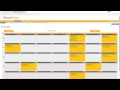
To upload your shifts, you must first tell the extension which calendar to upload to. To set the calendar to export your shifts to, right click the extension icon and click Options. Click the Change Calendar Button to load all your Google Calendars. Click the radio button next to the calendar you would like your shifts uploaded to, then click the Set Selected Calendar button to set that calendar. Once the calendar is set, go to your Timeforge schedule page. There should be an Export button at the top right. Clicking this button will upload all of the shifts for the month you are viewing on Timeforge, and any shifts that have already been uploaded to your Google Calendar will be omitted from the upload.
To enable the RoadsterRoutes feature, left click the extension icon in the top right of your screen and check the "Roadster Routes" box. Subsequent visits to www.uml.edu/routes will have a clickable "Numbers On"/"Numbers Off" header at the top of the screen that you can toggle.
To update HR Direct with your hours worked, go to your timecard on Timeforge. Above your hours table will be a button that says "Export to HR Direct". Click the button, and log in to HR Direct. There will be a prompt to ensure the times loaded by the extension accurately reflect what you work. Press cancel if they are incorrect. Otherwise, press Okay and wait. The page will refresh and your hours will be uploaded to HR Direct.
For supervisors:
Daily and weekly hour totals are added to the schedule page
The "Schedules" menu drop-down includes a link to pick up shifts
Why Download UML Transportation Buddy?
- ✅ Trusted by 48+ users worldwide
- ✅ High Rating: /5 stars from reviews
- ✅ Latest Version: 1.3.4 - Always up to date
- ✅ Safe & Secure: Verified by Chrome Web Store
- ✅ Free to Use: No cost required
Extension Details
Discover UML Transportation Buddy - The Best Chrome Extension for Your Browser
Looking for the perfect Chrome extension to enhance your browsing experience? UML Transportation Buddy is one of the most popular and highly-rated extensions available on the Chrome Web Store, trusted by over 48 users worldwide.
With an impressive -star rating based on authentic user reviews, UML Transportation Buddy has proven its value and reliability to the Chrome community. This extension is perfect for users who want to improve their productivity, enhance their browsing security, or simply add useful functionality to their Chrome browser.
Download UML Transportation Buddy today and join thousands of satisfied users who have already discovered the benefits of this powerful Chrome extension. Installation is quick and easy - simply click the download button above to be redirected to the official Chrome Web Store where you can safely install this extension in just a few clicks.
Similar extensions