Show This Image
About Show This Image
1. A right-click option allows you to have a selected image immediately loaded and displayed on the page.
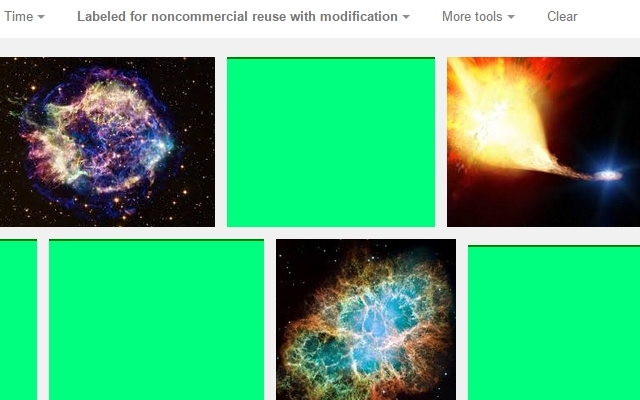
2. Custom formatting of blocked images and backgrounds. By default, marks the locations of hidden images and backgrounds so you can select them for display.
3. Adds title/"alt" text to images without it, giving clues about the image.
----Instructions----
1. Turn off images (chrome://settings/content) to see the effect. To give you greater control, ShowThisImage does not change your default image settings.
2. Customize formatting in the options (chrome://extensions/)
3. Right-click on an image and choose Show This Image to load it.
For when a page has many images and/or you do not know which you want to see, try Temporary Content Settings (https://chrome.google.com/webstore/detail/temporary-content-setting/kcpgnedeigljfpmokkmdonpejdghocff).
Feedback on problems and possible improvements is welcome!
----Permissions----
1. "All your data" is for the context menu and for interacting with the source code to show image locations and load images.
2. "Content settings" is for checking whether images are disabled on a page, and for enabling images for a few seconds while loading the selected image.
----Versions----
--v.3.3--
Images now on top by default. Added periodic image detection for images loaded by scripts. Fixed detection and styling bugs. Now marks and loads basically everything.
--v.3.2.1.1--
Fixed bug in title text display. Removed unused browser action button.
--v.3.2.1--
Better identification of selected images. Source title text. Extra tips on options page. Removed fail-to-load reload for greater usability.
--v.3.2.0--
Image elements now detected consistently. Improved loading images with abnormal sources. Fixed loading of background images. Images that are found on the page but fail to load also open in the window.
--v.3.1.0--
Background images now viewable. Functionality not affected by having JavaScript disabled on a page.
--v.3.0.0--
Images now load on-page in most cases.
--v.2.0.1--
Cleanup and fixes to default CSS.
--v.2.0--
Custom CSS for pages with disabled/enabled images.
--v.1.0--
Initial demonstration - applies same styling to all images, even visible ones, opens images in new window.
Why Download Show This Image?
- ✅ Trusted by 682+ users worldwide
- ✅ High Rating: /5 stars from reviews
- ✅ Latest Version: 3.3 - Always up to date
- ✅ Safe & Secure: Verified by Chrome Web Store
- ✅ Free to Use: No cost required
Extension Details
Discover Show This Image - The Best Chrome Extension for Your Browser
Looking for the perfect Chrome extension to enhance your browsing experience? Show This Image is one of the most popular and highly-rated extensions available on the Chrome Web Store, trusted by over 682 users worldwide.
With an impressive -star rating based on authentic user reviews, Show This Image has proven its value and reliability to the Chrome community. This extension is perfect for users who want to improve their productivity, enhance their browsing security, or simply add useful functionality to their Chrome browser.
Download Show This Image today and join thousands of satisfied users who have already discovered the benefits of this powerful Chrome extension. Installation is quick and easy - simply click the download button above to be redirected to the official Chrome Web Store where you can safely install this extension in just a few clicks.
Similar extensions