Tabsets
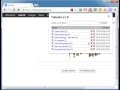
About Tabsets
This extension lets you keep all the tabs you have open in a set so that you can open them all again later, even on another device, if you have synchronisation enabled in Google Chrome.
A list shows when each set of tabs (a "tabset") was created, and how many tabs there are in each set. This is a great way to organise your various research projects into sets of tabs that you can restore at the click of a tabset link. Each tabset can be expended to see the individual tabs in that tabset, allowing one at a time to be removed. You can also rename the tabset, add the current tab to a tabset, and import or export tabsets as plain text to share with others.
The extension requires permissions so that the title of each tab can be retrieved. This extension does not, and will not, read the contents of your web pages. This can be verified in the source code of the extension, which I have made open source on GitHub:
http://bernhard-hofmann.github.io/Tabsets/
## Version History
Version 1.22:
* Removed requirement for unused `contextMenus`, `cookies`, and `notifications` permissions
Version 1.21:
* Added a link for donations.
Version 1.20:
* Sort tabsets by name or creation time.
Version 1.19:
* Save tabsets with local date and time of creation.
Version 1.18:
* Allows the reordering of tabs within each tabset.
Version 1.17:
* Prevents total data loss in the event of storage errors. Also shows errors encountered when storing tabsets.
Version 1.16:
* Improved layout of delete buttons for tabs within tabsets.
Version 1.15:
* Fixed the missing tabset import button.
Version 1.14:
* The rename tabset prompt defaults to the current tabset name.
Version 1.13:
* You can now rename tabsets.
Version 1.12:
* You can now remove individual tabs from a tabset with the delete button beside each tab.
Version 1.11:
* You can now add the current tab to an existing tabset with the plus button beside a tabset.
Version 1.10:
* Expand icon changed in preparation for using the plus icon to add a tab to a tabset.
Version 1.9:
* Basic support added for exporting and importing tabsets via their JSON representation. Being text, it can be copied and pasted in many places where a file might not be suitable.
Version 1.8:
* UI changes to make it more obvious that a tabset can be expanded, and made the name of the tabset the link to open all the tabs in that tabset. Also made delete an image so it's more compact/neater.
Version 1.7:
* Bug fix for event tracking.
Version 1.6:
* If the only open tab is a new tab, it'll be closed when you open a tabset. This makes opening a new window, and then a tabset feel more dedicated to the tabset.
Version 1.5:
* Make it clearer that the tabsets can be clicked to expand the tabs in them, which allows individual tabs to be opened.
Version 1.4:
* Version shown in the heading
Version 1.3:
* Code improvements and usage tracking
Version 1.2:
* Better storage method allows far more tabsets to be saved.
* New UI and icon to make it stand out a little better.
Why Download Tabsets?
- ✅ Trusted by 1000+ users worldwide
- ✅ High Rating: /5 stars from reviews
- ✅ Latest Version: 1.22 - Always up to date
- ✅ Safe & Secure: Verified by Chrome Web Store
- ✅ Free to Use: No cost required
Extension Details
Discover Tabsets - The Best Chrome Extension for Your Browser
Looking for the perfect Chrome extension to enhance your browsing experience? Tabsets is one of the most popular and highly-rated extensions available on the Chrome Web Store, trusted by over 1000 users worldwide.
With an impressive -star rating based on authentic user reviews, Tabsets has proven its value and reliability to the Chrome community. This extension is perfect for users who want to improve their productivity, enhance their browsing security, or simply add useful functionality to their Chrome browser.
Download Tabsets today and join thousands of satisfied users who have already discovered the benefits of this powerful Chrome extension. Installation is quick and easy - simply click the download button above to be redirected to the official Chrome Web Store where you can safely install this extension in just a few clicks.
Similar extensions