Keypress Editor

About Keypress Editor
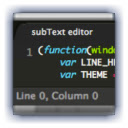
Use Keypress to edit your local files, on any platform. Keypress features a stylish and simplistic interface, and intuitive features like project management and fuzzy search for opening files. It also supports versatile layouts, fullscreen mode, Emmet, and more.
Keypress supports syntax highlighting for just about anything you could write, including HTML, CSS, LESS, Stylus, Javascript, Coffee, PHP, Ruby, Python, Markdown, Mustache, and more. Recently added support for 19 syntax highlighting themes (more to come).
Frequent updates and support. Email [email protected] for support!
Note: Emmet only works on html files. If it's not working, set the syntax to html using the view menu.
Follow Keypress on Twitter (http://www.twitter.com/keypressio) or Facebook (http://www.facebook.com/keypressio).
Parts of Keypress Editor have been released open source. Follow Subtext Editor on Github here: http://www.github.com/keypressio
Changelog
==========
v6.1:
- Fixed a bug caused by a Chrome update that prevented keypresses from working in the Go to anything bar
v6.0:
- Bug fixes when using SFTP
- Stability fixes when using app offline
v5.1:
- Upgrade Ace editor
- Fixed a minor syntax highlighting bug
v.5.0:
- Login is no longer required to use editor
- Tabs now show file name on mouse over
- Added new themes
- Added vim mode for beta users
- Autocomplete is now automatic (does not require control+space to activate)
- Fixed a bug where tabs do not resize properly in some cases
- Fixed a bug where font size resets after all tabs are closed
v.4.0:
- Added option to scroll past the end of a file
- Fixed a bug where you could not save new files
- Added ability to resize the sidebar
- Added support for themes
- Added option to enable to disable word wrapping
- Added option to choose tabs or spaces
- Added option to choose tab size
- Beta users only: Added initial directory to SFTP settings
- Beta users only: Fixed some error states with bad SFTP connections
v.3.1.1: Fixed a bug where certain files could not be added to projects
v.3.1:
- Numerous bug fixes, including bug where some users could not scroll to the bottom of a file
- Automatic syntax highlighting for SCSS and Mason files
- SFTP access added for beta users (access can be requested by sending a message via the feedback button in the app)
- Logs are recorded locally and shown on demand (for security, logs are kept locally and must be manually copied and pasted by a user when submitted a support request)
v.3.0:
- Added a file tree sidebar
- Easier access to project management
v.2.9.8:
- Fixed a rendering issue in Windows when using find
v.2.9.7:
- Fixed a major rendering issue in Windows
v.2.9.6:
- Minor bug fixes
v.2.9.4:
- Ctrl+Tab and Ctrl+Shift+Tab can now be used to change tabs
- Better notice in info bar after adding a folder to a project
v.2.9.1:
- Minor bug fixes
v2.9:
- Settings now sync between machines with the same logged in user
- Several important bug fixes
v2.8:
- Replaced scrolling in side menu with top side
drop down menu.
- Added minimize, maximize, and close buttons
- Numerous visual changes and tweaks
- Added abillity to open multiple windows
- Added live autocomplete
- Bug fix: Could not open a file after closing
all tabs
- Bug fix: ctrl+p goto anything did not work
on Windows
Why Download Keypress Editor?
- ✅ Trusted by 4000+ users worldwide
- ✅ High Rating: /5 stars from reviews
- ✅ Latest Version: dazzle 6.1 - Always up to date
- ✅ Safe & Secure: Verified by Chrome Web Store
- ✅ Free to Use: No cost required
Extension Details
Discover Keypress Editor - The Best Chrome Platform_app for Your Browser
Looking for the perfect Chrome platform_app to enhance your browsing experience? Keypress Editor is one of the most popular and highly-rated platform_apps available on the Chrome Web Store, trusted by over 4000 users worldwide.
With an impressive -star rating based on authentic user reviews, Keypress Editor has proven its value and reliability to the Chrome community. This platform_app is perfect for users who want to improve their productivity, enhance their browsing security, or simply add useful functionality to their Chrome browser.
Download Keypress Editor today and join thousands of satisfied users who have already discovered the benefits of this powerful Chrome platform_app. Installation is quick and easy - simply click the download button above to be redirected to the official Chrome Web Store where you can safely install this extension in just a few clicks.
Similar platform_apps