
LinkedIn Signature
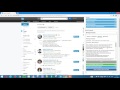
About LinkedIn Signature
Support new & old versions of LinkedIn.com
Linked Helper is an automization tool that simplifies your work with LinkedIn.com
Expand your social networks to an unlimited number of contacts in a few steps:
- Open the « Advanced » search page
- Choose Relationship : «2nd Connections»
- Choose other settings to customize your search and press «Connect all in search» button.
Demo : https://www.youtube.com/watch?v=sPjISVb1r_s
Use Linked Helper as an auto mailing system to reach your business partners.
- Open the « Advanced » search page;
- Choose Relationship: «1nd Connections » (If you have Premium account with LinkedIn, you may extend it to 3rd level contacts)
- set filters and press “Collect message recipients”
- check collected contacts before sending
- once you’ve started to collect recipients, create a message template, using the variable {firstname} that will be replaced with the recipient’s name in each message
- Press «Start message broadcast», making sure you’ve opened linkedin.com in a new tab or window before.
Demo : https://www.youtube.com/watch?v=kaaXLLn6RQw
With Linked Helper, you can boost your profile and get hundreds of endorsements from other users in no time. The tool does everything for you. Linked Helper automatically sends endorsements to all your contacts. Between 10% to 30% on your contact list will endorse you in return.
- Press «Collect contacts for endorse»
- Open Linkedin.com in a separate tab or window.
- Press «Endorse my contacts»
Demo : https://www.youtube.com/watch?v=qmmDckZ3PvM
Automatically add your signature to messages:
- Go to "My signature" settings
- write your signature & click Save button
- switch-on "Adds signature" mode
Demo : https://www.youtube.com/watch?v=HOUoC03pous
Read User Manual https://drive.google.com/open?id=0BwIBOuOHC0GuWV9PczhYaC0zYTg
Demo video https://www.youtube.com/playlist?list=PLbLhUuizOEaEhR5drED0_TZ2Q2LwWyj1D
For any matters contact: [email protected]
- linkedin automation tools
- automate linkedin connections
- linkedin marketing automation
- automate linkedin messages
- linkedin auto connect
- linkedin marketing software
- automate sales prospecting
- autopilot for linkedin
- linkedin bulk message tool
- lead generation
Why Download LinkedIn Signature?
- ✅ Trusted by 141+ users worldwide
- ✅ High Rating: 4.5/5 stars from 2 reviews
- ✅ Latest Version: 4.7.9 - Always up to date
- ✅ Safe & Secure: Verified by Chrome Web Store
- ✅ Free to Use: No cost required
Extension Details
Discover LinkedIn Signature - The Best Chrome Extension for Your Browser
Looking for the perfect Chrome extension to enhance your browsing experience? LinkedIn Signature is one of the most popular and highly-rated extensions available on the Chrome Web Store, trusted by over 141 users worldwide.
With an impressive 4.5-star rating based on 2 authentic user reviews, LinkedIn Signature has proven its value and reliability to the Chrome community. This extension is perfect for users who want to improve their productivity, enhance their browsing security, or simply add useful functionality to their Chrome browser.
Download LinkedIn Signature today and join thousands of satisfied users who have already discovered the benefits of this powerful Chrome extension. Installation is quick and easy - simply click the download button above to be redirected to the official Chrome Web Store where you can safely install this extension in just a few clicks.
Similar extensions