Smooth Scrolling with 60fps
About Smooth Scrolling with 60fps
in the options page you can turn features on and off and decide if you prefer speed or effects.
I also managed to apply this trick to the real chromium.app, so you can try it as a "native" chrome feature without the extension. for the brave ones here is a beta to download from my dropbox: (its latest chromium compiled with the patch). https://www.dropbox.com/s/cesnf1ekte8kwmn/Chromium.app.zip?dl=0
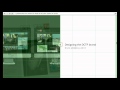
The screenshots show the difference of the extension in action. See comments in the adressbar of the screenshots.
a) unoptimised, lot of green repaint areas, b) with extension enabled, still scrollbar is green. c) alternative with patched chromium.app where scrollbar is hidden, and no green repaints at all.
I try to commit the patch (actually only 2 Lines of Code) to the official chromium git, but it might take a while to get access and get it approved. but in some weeks it might be part of normal chrome.app, so everybody can benefit from better scrolling experience.
the code of this extension is also available on github:
https://github.com/ayurmedia/fixfixed
v0.1: initial
v0.2: bugfixes
v0.3: performance improvements + bugfixes.
v0.4: fixed typo in comments
v0.5: code cleanup and bugfixes, hopefully last version for today ;)
v0.6: cleanup , optimizations
v0.7: code optimization
v0.8: implemented icon + badge-number for improved divs, also new options-page
v0.9: optimized default setting.
v1.0: reading css directly now and patching css. much more efficient and less false detect.
v1.1: bugfixes, better parsing of css, respecting media-queries, reapplying transforms to reduce false positives.
v1.2: bugfixes for subpixel-antializing. translateZ(0) forces grayscale antializing, so the css is now only applied during scrolling and removed when scrolling is finished. (during reading).
v1.4: improved, option to turn off antializing fix which is faster, option for delay of antilizefix in milliseconds. (see options)
This extension also works great in combination with "SmoothScroll" Extension: https://chrome.google.com/webstore/detail/smoothscroll/nbokbjkabcmbfdlbddjidfmibcpneigj
Please rate the extension and give feedback und bug-reports, this helps me to improve the extension.
Greetings,
Daniel
Why Download Smooth Scrolling with 60fps?
- ✅ Trusted by 1491+ users worldwide
- ✅ High Rating: 4.27/5 stars from 26 reviews
- ✅ Latest Version: 1.4 - Always up to date
- ✅ Safe & Secure: Verified by Chrome Web Store
- ✅ Free to Use: No cost required
Extension Details
Discover Smooth Scrolling with 60fps - The Best Chrome Extension for Your Browser
Looking for the perfect Chrome extension to enhance your browsing experience? Smooth Scrolling with 60fps is one of the most popular and highly-rated extensions available on the Chrome Web Store, trusted by over 1491 users worldwide.
With an impressive 4.27-star rating based on 26 authentic user reviews, Smooth Scrolling with 60fps has proven its value and reliability to the Chrome community. This extension is perfect for users who want to improve their productivity, enhance their browsing security, or simply add useful functionality to their Chrome browser.
Download Smooth Scrolling with 60fps today and join thousands of satisfied users who have already discovered the benefits of this powerful Chrome extension. Installation is quick and easy - simply click the download button above to be redirected to the official Chrome Web Store where you can safely install this extension in just a few clicks.
Similar extensions