InTouchApp Phone Contacts & Data Saver
About InTouchApp Phone Contacts & Data Saver
Why save to phone contacts?: It makes it easy to communicate with a person via phone call, text message (SMS), WhatsApp, Telegram, InTouchApp, Messenger or any other app that works off your phone contacts.
WhatsApp Tip: If you get enquiries from customers on WhatsApp, they show up as "unknown numbers". With InTouchApp add-on, you can easily save all these numbers to your phone contacts with one click! Save time and effort and build your customer database properly. Every customer counts! Do not miss!
KEY FEATURES:
- WhatsApp Web: Save all unknown numbers from incoming chats to phone contacts with one click
- WhatsApp Web: Save all unknown contacts from groups to phone contacts with one click
- WhatsApp Web: Save profile pictures to phone contacts
- GMail: Save any sender as phone contact
- LinkedIn: Save contact info on a profile to phone contact including photo, company, title, etc.
- Right click on any image and set as profile picture for the contact
- Select a number and make calls directly via your mobile phone
- Select any text and add as a phone contact
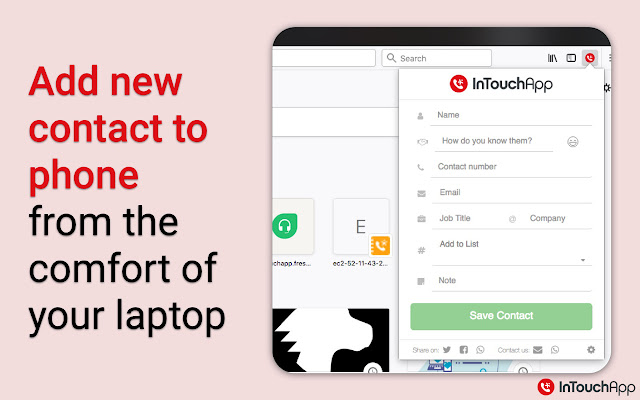
- Add contacts to your phone from the comfort of your PC or Mac
FEATURES (Coming Soon):
- Save data from websites into a private space on your phone for quick access on the go
- Share content from websites directly with your contacts
- Your Idea! (Got a neat idea to make this even more useful? write to us at [email protected] - we are all ears!)
GETTING STARTED: Install InTouchApp on your mobile phone from your phone's app store (available for Android, iPhone, Windows Phone, Blackberry, etc.), or by visiting intouchapp.com from your phone.
ABOUT INTOUCHAPP: Your phone contacts is your most important network - InTouchApp helps you build and maintain these contacts over time so you never lose touch or forget anyone! InTouchApp is a powerful, universal contacts manager that ensures you have a single, clean contact list accessible everywhere you need your contacts.
------------------------------------------
*LEGAL*
------------------------------------------
WhatsApp, GMail, LinkedIn are registered trademarks of respective companies in the U.S. and other countries. This add-on is an independent product developed by Volare Technologies Pvt Ltd and has no relationship to any of those companies.
Why Download InTouchApp Phone Contacts & Data Saver?
- ✅ Trusted by 20000+ users worldwide
- ✅ High Rating: 4.7/5 stars from 20 reviews
- ✅ Latest Version: 4.24.1 - Always up to date
- ✅ Safe & Secure: Verified by Chrome Web Store
- ✅ Free to Use: No cost required
Extension Details
Discover InTouchApp Phone Contacts & Data Saver - The Best Chrome Extension for Your Browser
Looking for the perfect Chrome extension to enhance your browsing experience? InTouchApp Phone Contacts & Data Saver is one of the most popular and highly-rated extensions available on the Chrome Web Store, trusted by over 20000 users worldwide.
With an impressive 4.7-star rating based on 20 authentic user reviews, InTouchApp Phone Contacts & Data Saver has proven its value and reliability to the Chrome community. This extension is perfect for users who want to improve their productivity, enhance their browsing security, or simply add useful functionality to their Chrome browser.
Download InTouchApp Phone Contacts & Data Saver today and join thousands of satisfied users who have already discovered the benefits of this powerful Chrome extension. Installation is quick and easy - simply click the download button above to be redirected to the official Chrome Web Store where you can safely install this extension in just a few clicks.
Similar extensions