ImageX
About ImageX
This toggling is achieved by changing the Content Settings for the URL of the current page (Settings > Under the Bonnet > Privacy > Content Settings... > Images > Manage Exceptions...) and then reloading it, rather than simple hiding of images within the HTML using Javascript. Unlike other image hiding extensions ImageX disables the downloading of images so no requests for images are sent at all during reload. The reload is also set to bypass the local cache so that all assets (except images if disabled) are re-requested for freshness.
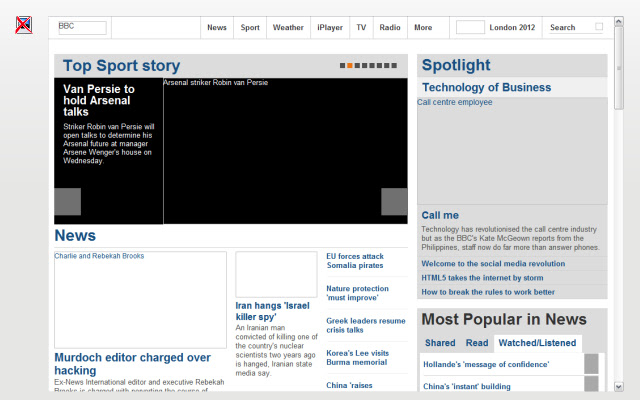
The toolbar button clearly shows the current state of the setting by changing the image (see screenshots). The current setting is also remembered between browser sessions and updated when a site is loaded, handy for those sites you visit regularly but don't want to see the adverts!
The extension works on http://, https:// and file:/// URLs but you may need to enabled file access if you need it (Tools > Extensions > expand ImageX > check "Allow access to file URLs").
During installation ImageX will request access to:
• Your data on all websites
• Yours tabs and browsing activity
• Settings that specify whether websites can use features such as cookies, JavaScript and plug-ins
The first is needed so that requests to file:/// resources can be handled (see above note about enabling file access).
The second is needed so that ImageX can updated whenever the current tab is changed or updated.
The third is needed to retrieve and update the Images Content Setting (see Settings > Under the Bonnet > Privacy > Content Settings... > Images > Manage Exceptions...)
PRIVACY STATEMENT: This extension uses Google Analytics to record when the tool is used. No personal information or URLs are tracked. This is satisfy my curiosity as a web developer about using Google Analytics and see if my extension is being used by anyone.
Why Download ImageX?
- ✅ Trusted by 616+ users worldwide
- ✅ High Rating: 4.19/5 stars from 21 reviews
- ✅ Latest Version: 0.4 - Always up to date
- ✅ Safe & Secure: Verified by Chrome Web Store
- ✅ Free to Use: No cost required
Extension Details
Discover ImageX - The Best Chrome Extension for Your Browser
Looking for the perfect Chrome extension to enhance your browsing experience? ImageX is one of the most popular and highly-rated extensions available on the Chrome Web Store, trusted by over 616 users worldwide.
With an impressive 4.19-star rating based on 21 authentic user reviews, ImageX has proven its value and reliability to the Chrome community. This extension is perfect for users who want to improve their productivity, enhance their browsing security, or simply add useful functionality to their Chrome browser.
Download ImageX today and join thousands of satisfied users who have already discovered the benefits of this powerful Chrome extension. Installation is quick and easy - simply click the download button above to be redirected to the official Chrome Web Store where you can safely install this extension in just a few clicks.
Similar extensions