Keep Awake

About Keep Awake
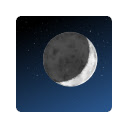
It adds an icon in the upper-right corner of the browser that can be clicked to switch between modes where the screen is kept on (sun icon), the system is prevented from sleeping (sunset), or power-saving settings are left unchanged (moon).
----
Frequently-asked questions:
* Will this extension prevent a Chromebook from suspending when its lid is closed?
No, but if an external display is connected, recent versions of Chrome OS will remain awake when the lid is closed.
* What's the difference between the "screen is kept on" and "system is prevented from sleeping" modes?
When the system is prevented from sleeping (sunset icon), network connections will remain active; this may be useful if using e.g. the Secure Shell app. The screen will still dim and turn off eventually, though. In the "screen is kept on" mode (sun icon), the system will avoid sleeping and the display will additionally remain on.
* What do the icons mean?
The sun icon means that the screen will be kept on. The moon icon means that the system will behave the same way that it would if the extension were not installed. The sunset icon is a middle ground: the system will avoid sleeping (as described above) but the screen will still turn off.
----
Release notes for version 1.8 (1.7 was never published):
Removed windows.onCreated hack added to work around http://crbug.com/222473 on Chrome OS.
Release notes for version 1.6:
Removed scary "tabs" permission. (Technical details: There's a bug where Chrome doesn't notify extensions after the user logs in on Chrome OS. This extension loads its saved state whenever a window is created instead. The chrome.windows API is documented as requiring the "tabs" permission but listening for window creation appears to work without it.)
Release notes for version 1.5:
This version fixes a bug where the previous mode would not be correctly restored after logging out and back in.
Note also that only the "keep the screen on" and "unchanged" modes are available in Chrome 26. In Chrome 27, the "prevent the system from sleeping" mode is also available.
Why Download Keep Awake?
- ✅ Trusted by 1000000+ users worldwide
- ✅ High Rating: /5 stars from reviews
- ✅ Latest Version: 1.8 - Always up to date
- ✅ Safe & Secure: Verified by Chrome Web Store
- ✅ Free to Use: No cost required
Extension Details
Discover Keep Awake - The Best Chrome Extension for Your Browser
Looking for the perfect Chrome extension to enhance your browsing experience? Keep Awake is one of the most popular and highly-rated extensions available on the Chrome Web Store, trusted by over 1000000 users worldwide.
With an impressive -star rating based on authentic user reviews, Keep Awake has proven its value and reliability to the Chrome community. This extension is perfect for users who want to improve their productivity, enhance their browsing security, or simply add useful functionality to their Chrome browser.
Download Keep Awake today and join thousands of satisfied users who have already discovered the benefits of this powerful Chrome extension. Installation is quick and easy - simply click the download button above to be redirected to the official Chrome Web Store where you can safely install this extension in just a few clicks.
Similar extensions