Salesforce AutoSave
About Salesforce AutoSave
The "Salesforce Autosave" chrome extension is a developer tool to autosave and recover code in Apex Classes, Triggers, Visualforce Pages and Components from save failure because of organization lock from deployments, internet unavailability and/or host of other reasons that result in code loss.
Get over CTRL + A, CTRL + C and CTRL + S approach! Now the extension will autosave the code in the background while you work on classes, triggers, pages or components without having to worry about loss of code.
The default autosave time is set to 60 seconds. It allows user to set custom autosave time (between 5 to 1800 seconds)
FEATURES :
Salesforce Autosave has the below features :
- Autosave the code for Class/Trigger/Page/Component in the extension at default setting of 60 seconds.
- Autosave the code for Class/Trigger/Page/Component in the extension on Save/QuickSave/Logout events on Salesforce edit page.
- Recover autosaved code for Class/Trigger/Page/Component from the extension.
- Work in online/offline mode and Autosave the code in the extension.
HOW TO AUTOSAVE CODE :
The extension works only on edit page of Apex classes, triggers, VF Pages and Components. On installing the extension, you will be able to see Salesforce ARC icon right beside the address bar or in the addon toolbar.
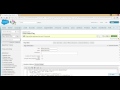
After installation of the extension, the edit page on Apex class, triggers, VF pages and components will display an additional section below the API name of class/trigger/page/component indicating the autosave status. This text indicates the time left before next autosave (in seconds), status of autosave (success/failure) and warning messages.
The extension does not validate the code syntax correctness, it commits the as-is code to the extension.
HOW TO RECOVER CODE
The Autosaved data for any Class/Trigger/Page/Component is maintained in the extension across browsing sessions. The autosaved data is recoverable directly in the edit page code editor of any class/trigger/page/component by clicking on the Salesforce Autosave extension icon besides the address bar or the addon toolbar (in red borders, refer screenshot) . If no autosaved data is available, it gives an alert message indicating the same.
For any comments/suggestions/queries, please feel free to drop me a mail at : [email protected]
Why Download Salesforce AutoSave?
- ✅ Trusted by 56+ users worldwide
- ✅ High Rating: /5 stars from reviews
- ✅ Latest Version: 4.0 - Always up to date
- ✅ Safe & Secure: Verified by Chrome Web Store
- ✅ Free to Use: No cost required
Extension Details
Discover Salesforce AutoSave - The Best Chrome Extension for Your Browser
Looking for the perfect Chrome extension to enhance your browsing experience? Salesforce AutoSave is one of the most popular and highly-rated extensions available on the Chrome Web Store, trusted by over 56 users worldwide.
With an impressive -star rating based on authentic user reviews, Salesforce AutoSave has proven its value and reliability to the Chrome community. This extension is perfect for users who want to improve their productivity, enhance their browsing security, or simply add useful functionality to their Chrome browser.
Download Salesforce AutoSave today and join thousands of satisfied users who have already discovered the benefits of this powerful Chrome extension. Installation is quick and easy - simply click the download button above to be redirected to the official Chrome Web Store where you can safely install this extension in just a few clicks.
Similar extensions