Tampermonkey
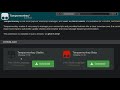
About Tampermonkey
Tampermonkey is used to run so-called userscripts (sometimes also called Greasemonkey scripts) on websites.
Userscripts are small computer programs that change the layout of a page, add or remove new functionality and content, or automate actions.
### Features ###
- Easily manage and edit your userscripts
- Activate and deactivate your scripts with 2 clicks
- Script synchronization via Chrome Sync and cloud storage (Google Drive, Dropbox, OneDrive, Yandex.Disk and WebDAV)
- Backup and restore via zip file and/or cloud storage
- Automatic updates
You can find a complete overview in the FAQ or by simply installing this extension. ;)
Thank you for using Tampermonkey. :)
### Userscript search ###
You can search for userscripts at www.userscript.zone.
### Usefull links ###
Bug reports: https://tampermonkey.net/bug
Full changelog: https://www.tampermonkey.net/changelog.php?ext=dhdg
FAQ: https://tampermonkey.net/faq
Userscript search: https://www.userscript.zone
### Data usage ###
User activity:
The Tampermonkey extensions and apps are capturing anonymous usage information, including:
the current version of the extension
preferred language
script installations for backlist updates
browser and operating system type
Furthermore an error report is automatically sent whenever an internal error occurs. The report contains some of the anonymous information stated previously along with the current extension version and a description of the error. You can prevent this information from being generated and sent by adjusting the settings on the browser extension accordingly. Please disable the "Anonymous statistics" setting to do so.
Note: In incognito mode anonymous usage information is neither captured nor sent.
For technical reasons sometimes (e.g. when Tampermonkey checks for blacklist updates) data from the browser's user-agent string is collected. You can disable this collection by adjusting the "Script Blacklist Source" and "Show TM update notification" setting.
Location:
If one of the setting "Script Blacklist Source" or "Show update notification" is enabled, then Tampermonkey sends HTTP requests which will by design include your IP address. All server logs only contain shortened IP addresses.
If "Anonymous statistics" is enabled, then your IP address is used to determine the approximate region or the country you are in at the moment.
Why Download Tampermonkey?
- ✅ Trusted by 10000000+ users worldwide
- ✅ High Rating: 4.69/5 stars from 42617 reviews
- ✅ Latest Version: 4.13 - Always up to date
- ✅ Safe & Secure: Verified by Chrome Web Store
- ✅ Free to Use: No cost required
Extension Details
Discover Tampermonkey - The Best Chrome Extension for Your Browser
Looking for the perfect Chrome extension to enhance your browsing experience? Tampermonkey is one of the most popular and highly-rated extensions available on the Chrome Web Store, trusted by over 10000000 users worldwide.
With an impressive 4.69-star rating based on 42617 authentic user reviews, Tampermonkey has proven its value and reliability to the Chrome community. This extension is perfect for users who want to improve their productivity, enhance their browsing security, or simply add useful functionality to their Chrome browser.
Download Tampermonkey today and join thousands of satisfied users who have already discovered the benefits of this powerful Chrome extension. Installation is quick and easy - simply click the download button above to be redirected to the official Chrome Web Store where you can safely install this extension in just a few clicks.
Similar extensions