Grammar and Spell Checker — LanguageTool
About Grammar and Spell Checker — LanguageTool
★ No registration needed
★ Supports more than 25 languages (see below)
★ Works on almost any website including Gmail, Facebook, Twitter
With this extension you can check text with the free style and grammar checker LanguageTool. LanguageTool finds many errors that a simple spell checker cannot detect, like mixing up there/their, a/an, or repeating a word, and it can detect some grammar problems. It supports more than 25 languages, including English, Spanish, French, German, Polish, and Russian.
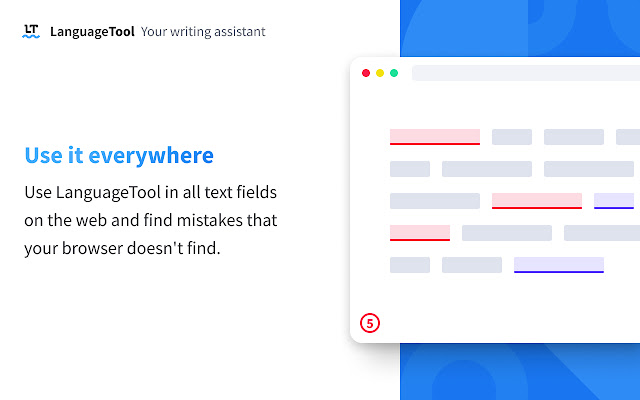
LanguageTool is designed with simplicity in mind. It instantly checks the spelling and grammar of any text in the current text field. LanguageTool is compatible with almost all text, regardless of source, including social networks such as Twitter or LinkedIn and online e-mail services, such as Gmail. Very few sites like chrome.google.com currently aren't supported.
With LanguageTool our aim is to give users a fully-featured grammar checker and proofreader that will enable them to have control and confidence over their content. While LanguageTool is a vital extension for non-native speakers, it’s also smart enough to recognize many mistakes that native speakers commonly make. This grammar and spelling correction works across all variations of common language; distinguishing between U.S. and British English, for instance. LanguageTool also features a personal dictionary for exceptions or words that you might commonly use but that are not found in a conventional dictionary. LanguageTool will recognize these words in future grammar checking and proofreading.
LanguageTool works for many languages - unlike Grammarly (a.k.a. Grammerly :-), Ginger, and ProWritingAid.
Your privacy is important to us: By default, this extension will check your text by sending it to https://languagetool.org over a securely encrypted connection. No account is needed to use this extension. We don't store your IP address. See https://languagetool.org/privacy/ for our privacy policy.
Please send bug reports or questions to https://forum.languagetool.org
List of supported languages: English (Australian, Canadian, GB, New Zealand, South African, US), French, German (Austria, Germany, Swiss), Asturian, Belarusian, Breton, Catalan (also Valencian), Chinese, Danish, Dutch, Esperanto, Galician, Greek, Italian, Japanese, Khmer, Persian, Polish, Portuguese (Brazil, Portugal, Angola, Mozambique), Romanian, Russian, Slovak, Slovenian, Spanish, Swedish, Tagalog, Tamil, Ukrainian, Arabic
Why Download Grammar and Spell Checker — LanguageTool?
- ✅ Trusted by 1000000+ users worldwide
- ✅ High Rating: /5 stars from reviews
- ✅ Latest Version: 3.3.4 - Always up to date
- ✅ Safe & Secure: Verified by Chrome Web Store
- ✅ Free to Use: No cost required
Extension Details
Discover Grammar and Spell Checker — LanguageTool - The Best Chrome Extension for Your Browser
Looking for the perfect Chrome extension to enhance your browsing experience? Grammar and Spell Checker — LanguageTool is one of the most popular and highly-rated extensions available on the Chrome Web Store, trusted by over 1000000 users worldwide.
With an impressive -star rating based on authentic user reviews, Grammar and Spell Checker — LanguageTool has proven its value and reliability to the Chrome community. This extension is perfect for users who want to improve their productivity, enhance their browsing security, or simply add useful functionality to their Chrome browser.
Download Grammar and Spell Checker — LanguageTool today and join thousands of satisfied users who have already discovered the benefits of this powerful Chrome extension. Installation is quick and easy - simply click the download button above to be redirected to the official Chrome Web Store where you can safely install this extension in just a few clicks.
Similar extensions